yourcommand
Keep your orders, customers, and business data under your command.
Local restaurant order management system
Overview
yourcommand is a local-first restaurant order management application built with Flutter. It handles the full ordering flow — from QR-code menu access and mobile money payments to cashier validation and kitchen service tracking — all running on your local network with no cloud dependency.
Customers scan a table QR code to browse the menu, place orders, and pay via mobile money (MVola, Orange Money, Airtel Money) through Papi integration or directly at the counter. The cashier interface confirms manual payments, and the service interface tracks orders from preparation to delivery.
Downloads
Features
Menu Management
Create categories, products with images, set prices, manage stock levels, and control visibility — all from the admin desktop app.
QR Code Ordering
Each table gets a unique QR code. Customers scan, browse the menu, and place orders directly from their phone — no app install needed.
Mobile Money
Integrated with Papi for MVola, Orange Money, and Airtel Money payments. Automatic payment confirmation via Webhook.site.
Cashier Dashboard
Web interface for staff to confirm or refuse manual payments. Private token-gated access that can be rotated at any time.
Service Dashboard
Web interface showing orders grouped by table — pending and served. Auto-refresh for real-time kitchen updates.
Daily Reports
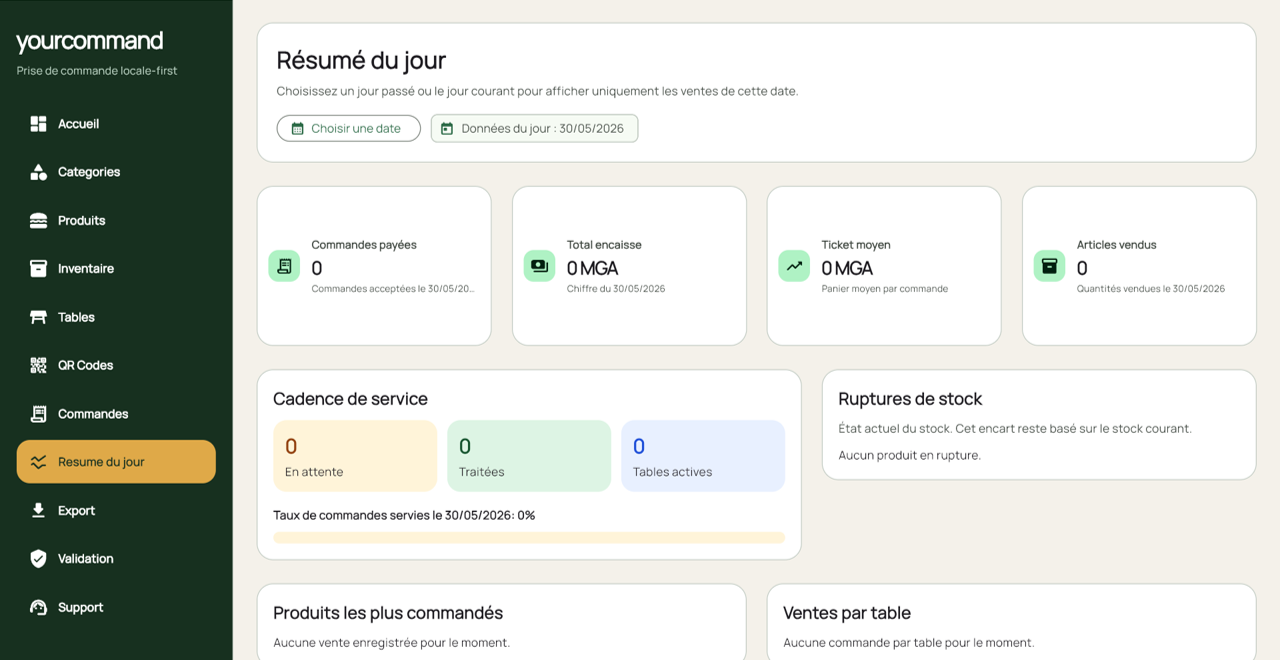
View sales by day, track best-selling items, average ticket, revenue per table. Export order and inventory history as CSV.